Tidying the mailbox
A mailbox fills up. Once a year, this program makes room: the folder Archive of last year gets the year in its name, a new empty Archive starts, the archive of two years ago is deleted, and old village news that you've read already disappear from the INBOX. At the end, it shows how full the INBOX is.
Functions: IMAP_LIST, IMAP_CREATE, IMAP_RENAME, IMAP_DELETE, IMAP_STORE, IMAP_EXPUNGE and IMAP_STATUS
What you need
- the mod c0de net, a mail account with IMAP and your app password as the secret
mailPasswordin your open vault, as in The order desk - a trigger block with a button, a laptop, and variable items
server(STRING) andport(INTEGER) - a mailbox you don't mind tidying: IMAP_DELETE deletes a folder with all its messages, and IMAP_EXPUNGE removes messages for good. Try it with a second account first.
The idea
Folders are managed with five functions:
- IMAP_LIST returns the names of the folders. Its pattern chooses which:
*stands for any text,%for any text within one level of folders.Archive*finds Archive, Archive 2024 and Archive 2025. - IMAP_CREATE, IMAP_RENAME and IMAP_DELETE make, rename and delete a folder.
- IMAP_STATUS returns the MAILBOX of a folder – how many messages, how many unseen – without selecting it.
Deleting messages takes two steps in IMAP, like the recycle bin of a computer: IMAP_STORE gives them the flag \Deleted, and IMAP_EXPUNGE removes all messages of the selected folder that have it. Until then, a mail program can still bring them back.
The program
PROGRAM tidymail
NOOP
INCLUDE c0de_net/mail
NOOP
FUNCTION cleanup
    PARAMETER server STRING "imap.example.com"
    PARAMETER port INTEGER 0
    PARAMETER year INTEGER 2026
    RESULT removed INTEGER
BEGIN
    SECRET mailPassword STRING
    VARIABLE imap STRUCT c0de_net/mail/IMAP_SERVER
    VARIABLE folders ARRAY STRING
    VARIABLE box STRUCT c0de_net/mail/MAILBOX
    VARIABLE uids ARRAY INTEGER
    VARIABLE oldest STRING
    VARIABLE last STRING
    ASSIGN imap.server server ;
    ASSIGN imap.port port ;
    ASSIGN imap.user "steve@example.com" ;
    ASSIGN imap.password mailPassword ;
    ASSIGN oldest "Archive " ⊕ ( year - 2 ) ;
    ASSIGN last "Archive " ⊕ ( year - 1 ) ;
    CALL CLS
    CALL c0de_net/mail/IMAP_LIST
        PARAMETER server imap ;
        PARAMETER pattern "Archive*" ;
        RESULT result folders
    EACH name folders
    BEGIN
        IF name = oldest ;
        BEGIN
            CALL c0de_net/mail/IMAP_DELETE
                PARAMETER server imap ;
                PARAMETER folder name ;
            CALL PRINT
                PARAMETER value "Deleted " ⊕ name ;
        END IF
        IF name = "Archive" ;
        BEGIN
            CALL c0de_net/mail/IMAP_RENAME
                PARAMETER server imap ;
                PARAMETER folder name ;
                PARAMETER new_name last ;
            CALL c0de_net/mail/IMAP_CREATE
                PARAMETER server imap ;
                PARAMETER folder "Archive" ;
            CALL PRINT
                PARAMETER value "Archive is now " ⊕ last ;
        END IF
    END EACH
    CALL c0de_net/mail/IMAP_SELECT
        PARAMETER server imap ;
        RESULT result box
    CALL c0de_net/mail/IMAP_SEARCH
        PARAMETER server imap ;
        PARAMETER criteria "SEEN SUBJECT \"Village news\"" ;
        RESULT result uids
    CALL c0de_net/mail/IMAP_STORE
        PARAMETER server imap ;
        PARAMETER uids uids ;
        PARAMETER flags "\\Deleted" ;
    CALL c0de_net/mail/IMAP_EXPUNGE
        PARAMETER server imap ;
        RESULT result removed
    CALL PRINT
        PARAMETER value "Removed " ⊕ removed ⊕ " old news" ;
    CALL c0de_net/mail/IMAP_STATUS
        PARAMETER server imap ;
        PARAMETER folder "INBOX" ;
        RESULT result box
    CALL PRINT
        PARAMETER value "INBOX: " ⊕ box.messages ⊕ " messages, " ⊕ box.unseen ⊕ " unseen" ;
END FUNCTION
Building and running it
- Set the trigger block to
tidymail/cleanupand bind the laptop to it. Put the variable itemsserverandportinto the trigger block, and an uninitialized variable item forremoved. - Press the button. With the folders Archive and Archive 2024 and some old news in the INBOX, the laptop shows:
Archive is now Archive 2025
Deleted Archive 2024
Removed 1 old news
INBOX: 5 messages, 3 unseen
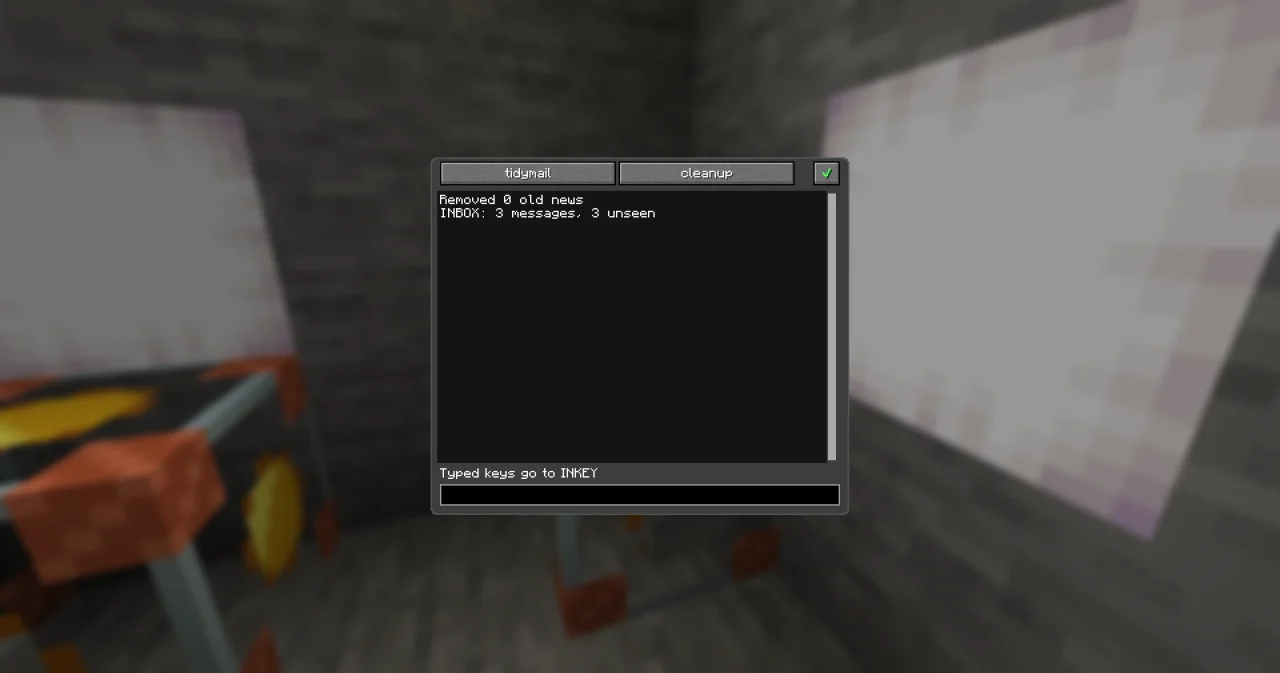
The order of the first two lines depends on the order in which the server lists the folders. A second press in the same year finds Archive 2025, which is younger than two years, and an empty Archive: it renames it to Archive 2025 – which exists already, so the server refuses, and the program stops with MAIL_REJECTED. Run the clean-up once a year, or try the first exercise.
How it works
- The names of the archives are made from the parameter
year:"Archive " ⊕ ( year - 2 )is"Archive 2024". The parentheses make sure the year is calculated before it is joined to the text. - IMAP_LIST with
Archive*returns the names of the archives only. EACH goes through them: the oldest is deleted, and Archive is renamed to the year before and made anew with IMAP_CREATE. - IMAP_SELECT selects INBOX, so the functions for messages know where to work. The criteria
SEEN SUBJECT "Village news"find the news you've read; the quotes keep the two words together. In the dialog of the literal you type them as they are; the text notation of the program writes them\". - IMAP_STORE adds
\Deletedto them – typed\Deletedin the dialog, written"\\Deleted"in the text notation – and IMAP_EXPUNGE removes them and returns how many – the resultremoved. - IMAP_STATUS reads the MAILBOX of INBOX at the end. Unlike IMAP_SELECT, it doesn't change
imap.folder.
Try it yourself
- Make the program safe to press twice: only rename Archive if there is no archive of last year yet.
Solution
Before the EACH loop, look for last in folders: a second EACH that sets a BOOLEAN done when a name equals last. Then rename Archive only IF name = "Archive" AND NOT done. A second press shows only Removed 0 old news and the status.
- Before deleting the oldest archive, show how many messages are lost with it.
Solution
Call IMAP_STATUS with PARAMETER folder name ; and a MAILBOX variable before IMAP_DELETE, and print its messages: "Deleted " ⊕ name ⊕ " with " ⊕ box.messages ⊕ " messages".
Read more
- IMAP_LIST, IMAP_STATUS and IMAP_EXPUNGE
- The order desk: selecting folders and flags
- When mail fails: MAIL_REJECTED and the other errors