Asking the player
Filling in a variable item for every question works, but it's slow. Today the stack calculator moves to a laptop in your storage room: it asks "How many items?", you type a number, and the answer appears on the screen right away.
New words
- Prompt: the question a program shows when it needs something from you.
- Waiting: a program can stop at an instruction until a person does something. The computer does nothing else in this program meanwhile.
What you need
The stack calculator of the last lesson, its trigger block and button, and a laptop. Language blocks: VARIABLE, CALL, PARAMETER, LABEL, LITERAL, OPERATOR and INTEGER type blocks, and the hammer to remove lines.
The idea
Imagine a villager who trades with you. He doesn't know in advance what you want. He waits until you pick a trade, then he hands you the goods.
Programs can do the same. Until now, everything a program needed was there when it started: in the program itself, or on a card in the trigger block. Now the program starts, shows a prompt, and then waits until somebody types an answer. Only then does it go on with the next line.
The program
The program stays on the sheet of the stack calculator and replaces it.
PROGRAM stacks
NOOP
INCLUDE c0de/math
NOOP
FUNCTION calculate
BEGIN
    VARIABLE items INTEGER
    VARIABLE size INTEGER 64
    VARIABLE stacks INTEGER
    VARIABLE rest INTEGER
    CALL PRINT
        PARAMETER value "How many items?" ;
    CALL INPUT
        PARAMETER variable items ;
    CALL c0de/math/DIV
        PARAMETER dividend items ;
        PARAMETER divisor size ;
        RESULT result stacks
    ASSIGN rest items \ size ;
    CALL PRINT
        PARAMETER value stacks ;
    CALL PRINT
        PARAMETER value items ⊕ " items are " ⊕ stacks ⊕ " stacks and " ⊕ rest ⊕ " items." ;
END FUNCTION
Building it
Lines 0 to 3 stay the same.
- Line 4: FUNCTION
calculate, now without PARAMETER and RESULT lines below it. Remove them with the hammer. - Line 5: BEGIN.
- Lines 6 to 9: four VARIABLE lines with INTEGER type blocks:
items,sizewith 64,stacksandrest, like in the lesson "Calculating". - Lines 10 and 11: a CALL
PRINTwith thevalue"How many items?". - Line 12: a CALL at x=6 and a LABEL
INPUT. - Line 13: a PARAMETER at x=7, a LABEL
variable, a LABELitemsand an OPERATOR;. - Lines 14 to 18: the CALL of
c0de/math/DIVand the ASSIGN ofrest, as before. - Lines 19 and 20: a CALL
PRINTwith thevaluestacks ;. - Lines 21 and 22: a CALL
PRINTwhosevaluejoins the numbers and texts with⊕. - Line 23: END FUNCTION.
Running it
- Place a laptop next to the trigger block of the calculator. Right-click it to open its terminal. At the top, click the two buttons until they show
stacksandcalculate, then click ✔. This binds the laptop and closes the terminal. - Take the variable items out of the trigger block. This program has no parameters and no results, so it needs no items.
- Press the button. The laptop's screen shows "How many items?".
- Right-click the laptop. Below the screen, the input line shows
INPUT items (INTEGER):. Type1000and press Enter.
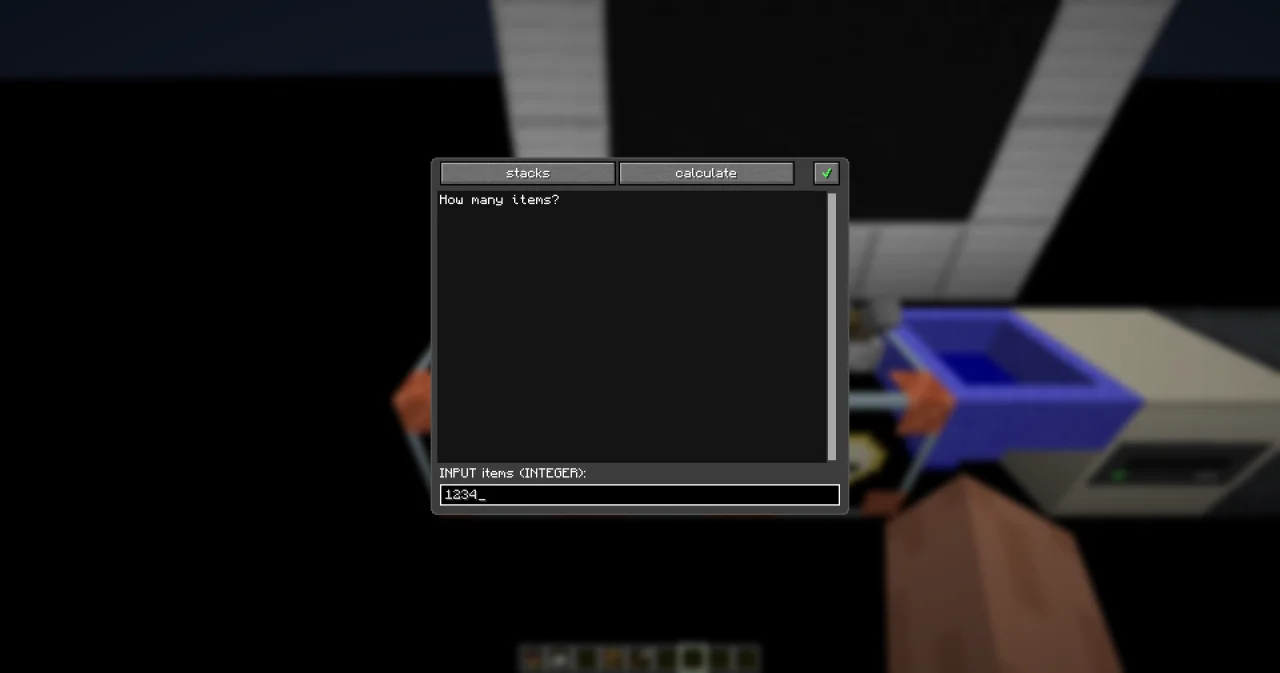
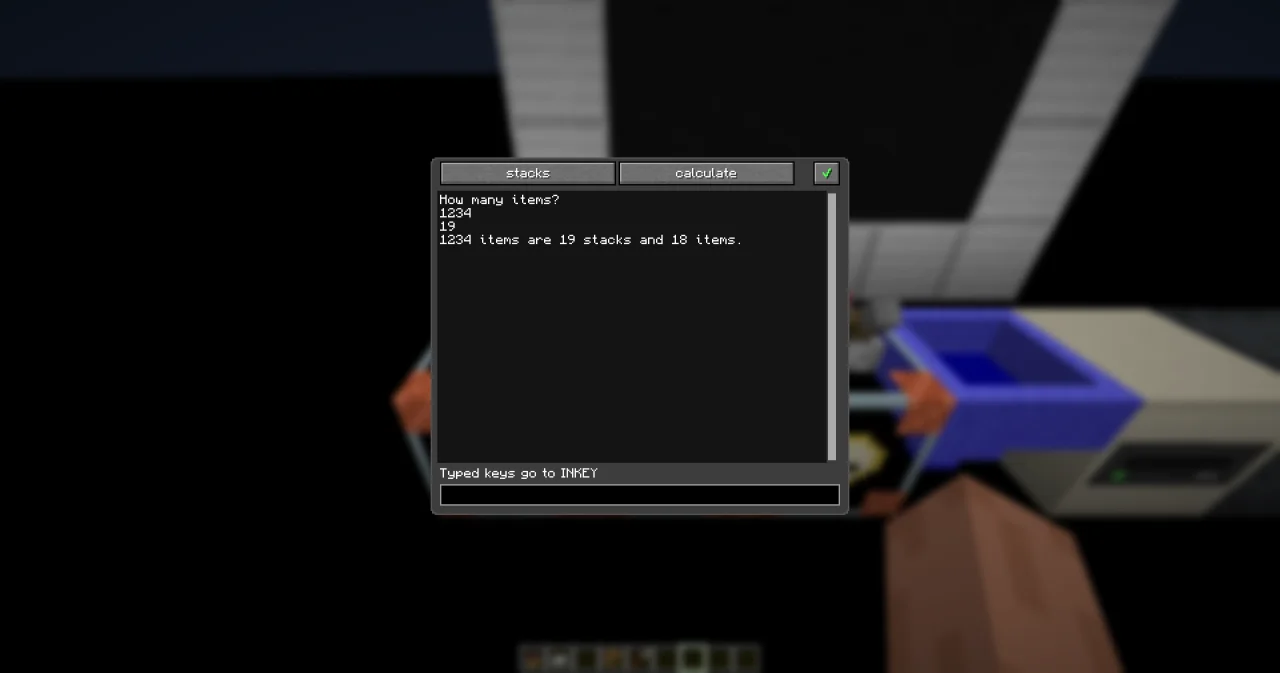
The screen shows:
How many items?
1000
15
1000 items are 15 stacks and 40 items.
The line 1000 is what you typed. Press the button again to ask for the next number.
How it works
CALL PRINTwith"How many items?"is the prompt. Without it, the player would see an empty screen and wouldn't know what the program wants.CALL INPUTwithPARAMETER variable items ;reads a value into the variableitems. Here the program waits: the cursor stays in this line until you press Enter on the laptop.- INPUT knows the type of
items: INTEGER. If you type something that isn't a whole number, the laptop refuses it and keeps waiting. Only a fitting value goes into the box. - After INPUT, the program calculates as before, with the number you typed.
CALL PRINTwithvalue stacks ;prints a number on its own: 15. You don't have to turn it into text first.- The last PRINT joins numbers and texts with
⊕to one line. The laptop has 48 columns, so the line fits.
The program is the same for every number. You can ask it as often as you like, and you never have to go back into the c0de dimension.
Try it yourself
- Let the calculator ask for the stack size too, so it works for ender pearls and snowballs (16 per stack).
Solution
Remove the start value of size, and ask for it with a second prompt and a second INPUT. The prompt "How many fit into one stack?" has 28 characters and fits the laptop's screen.
PROGRAM stacks
NOOP
INCLUDE c0de/math
NOOP
FUNCTION calculate
BEGIN
    VARIABLE items INTEGER
    VARIABLE size INTEGER
    VARIABLE stacks INTEGER
    VARIABLE rest INTEGER
    CALL PRINT
        PARAMETER value "How many items?" ;
    CALL INPUT
        PARAMETER variable items ;
    CALL PRINT
        PARAMETER value "How many fit into one stack?" ;
    CALL INPUT
        PARAMETER variable size ;
    CALL c0de/math/DIV
        PARAMETER dividend items ;
        PARAMETER divisor size ;
        RESULT result stacks
    ASSIGN rest items \ size ;
    CALL PRINT
        PARAMETER value items ⊕ " items are " ⊕ stacks ⊕ " stacks and " ⊕ rest ⊕ " items." ;
END FUNCTION
Type 100 and then 16: the answer is "100 items are 6 stacks and 4 items."
- When the calculator asks "How many items?", type
lotsinstead of a number. What happens?
Solution
The laptop refuses the line: it shows a line that starts with ? , and INPUT keeps waiting. items is an INTEGER box, and "lots" isn't a whole number. Type a number, and the program goes on.
Read more
- INPUT and PRINT in the handbook
- Laptop: the terminal and the input line
- Talking to players in the guide