Remembering things: variables
Your base has a name: Oak Hill. Today the sign says "Welcome to Oak Hill!" and, below it, the year you founded the base. Both values get a name in the program, so you can change them in one place.
New words
- Value: a piece of data, like the number 2026 or the text "Oak Hill".
- Variable: a box with a name that holds one value. You can put a new value into it at any time.
- Constant: a box with a name whose value is fixed. It never changes while the program runs.
- Type: the kind of value a box holds, like whole numbers (INTEGER) or text (STRING).
What you need
The sign of the last lesson. Language blocks: CONSTANT, VARIABLE, ASSIGN, NOOP, LABEL, LITERAL, OPERATOR, a STRING and an INTEGER type block, and the hammer.
The idea
Think of the chests in your storage room. Each has a sign on it: "Cobblestone", "Wood", "Food". You don't have to remember what is in each chest; you look for the name.
A variable is such a chest in your program. It has a name, and it holds one value. When the program needs the value, it uses the name. You can put a new value into it at any time; the old one is gone then.
A constant is a chest that is locked once it is filled. Its value is set when you build the program and stays the same.
Chests in Minecraft take any item. Boxes in c0de don't: each has a type, and it only takes values of that type. A box for whole numbers (INTEGER) can't hold text (STRING), just like a furnace's fuel slot doesn't take a sword.
The program
The program stays on the same sheet and replaces the colored sign.
PROGRAM sign
NOOP
CONSTANT BASE STRING "Oak Hill"
CONSTANT FRAME STRING "================================"
NOOP
FUNCTION welcome
BEGIN
    VARIABLE year INTEGER
    ASSIGN year 2026 ;
    CALL CLS
    CALL COLOR
        PARAMETER foreground COLOR_GOLD ;
    CALL PRINT
        PARAMETER value FRAME ;
    CALL LOCATE
        PARAMETER row 3 ;
        PARAMETER column 6 ;
    CALL COLOR
        PARAMETER foreground COLOR_YELLOW ;
        PARAMETER background COLOR_DARK_BLUE ;
    CALL PRINT
        PARAMETER value "Welcome to " ⊕ BASE ⊕ "!" ;
    CALL LOCATE
        PARAMETER row 4 ;
        PARAMETER column 8 ;
    CALL COLOR
        PARAMETER foreground COLOR_WHITE ;
    CALL PRINT
        PARAMETER value "Founded in " ⊕ year ;
    CALL COLOR
        PARAMETER foreground COLOR_GOLD ;
    CALL LOCATE
        PARAMETER row 6 ;
    CALL PRINT
        PARAMETER value FRAME ;
END FUNCTION
Building it
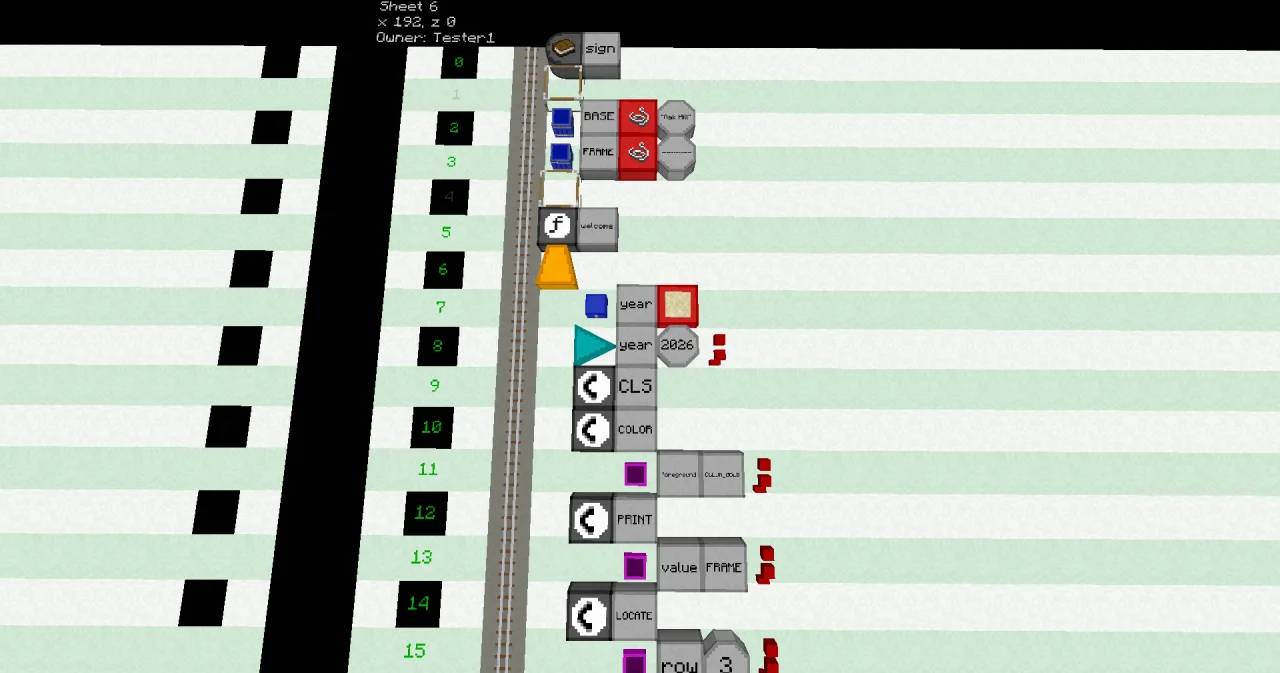
The program is getting longer, so here are only the new and changed lines. Use the hammer to insert empty lines (right-click a line), as in the last lesson.
- Line 2: a CONSTANT block at x=5, a LABEL
BASE, a STRING type block and a LITERAL of type STRING with the textOak Hill. - Line 3: a CONSTANT block, a LABEL
FRAME, a STRING type block and a LITERAL with 32 equal signs. - Line 4: the NOOP that was line 2. The FUNCTION, now in line 5, still needs it right above it.
- Line 7: a VARIABLE block at x=6, a LABEL
yearand an INTEGER type block. - Line 8: an ASSIGN block at x=6, a LABEL
year, a LITERAL 2026 of type INTEGER and an OPERATOR;. - Lines 13 and 34: replace the LITERAL with the equal signs by a LABEL
FRAME. - Line 21: a PARAMETER
value, then a LITERALWelcome to(with a space at the end), an OPERATOR⊕, a LABELBASE, an OPERATOR⊕, a LITERAL!of type STRING and an OPERATOR;. - Lines 22 to 24: a CALL
LOCATEwithrow4 andcolumn8. - Lines 25 and 26: a CALL
COLORwithforegroundCOLOR_WHITE. - Lines 27 and 28: a CALL
PRINTwith thevalue"Founded in " ⊕ year ;.
Running it
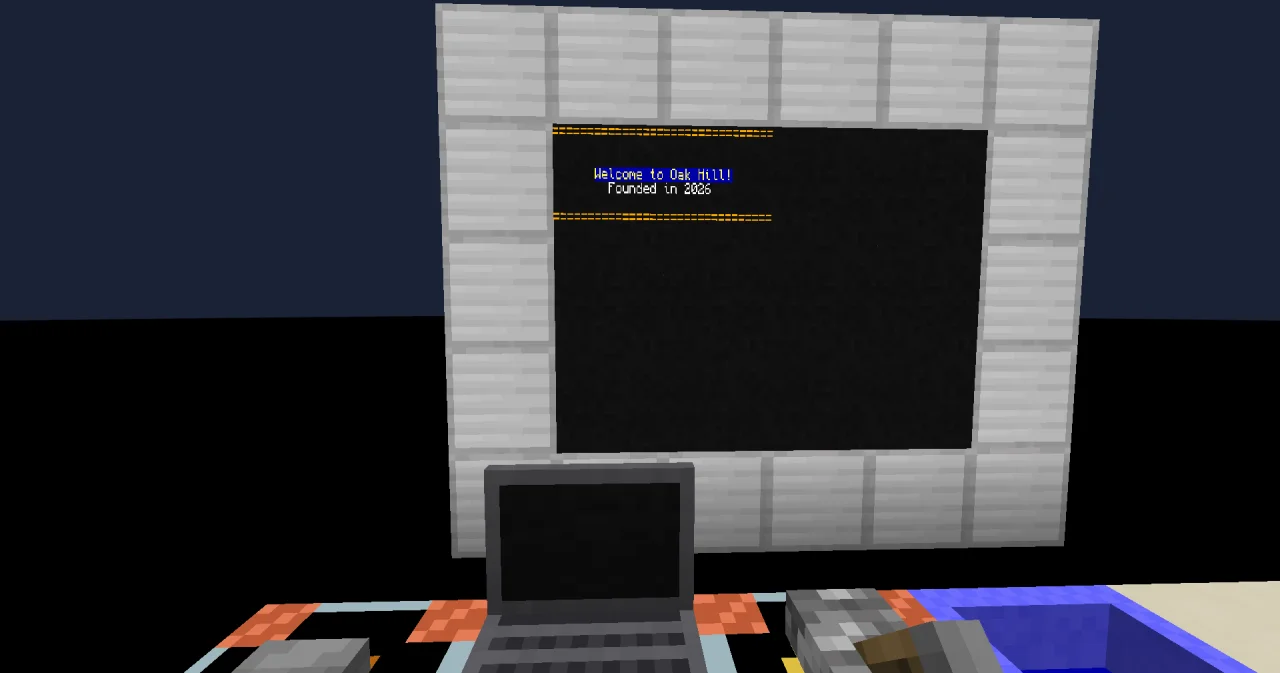
Press the button at the entrance. The wall shows:
================================


      Welcome to Oak Hill!
        Founded in 2026

================================
How it works
CONSTANT BASE STRING "Oak Hill"makes a constant namedBASE, of the type STRING (text), with the value "Oak Hill". It stands at x=5, outside the function, so the whole program can use it. Constants are usually written in capitals, so you can tell them from variables.CONSTANT FRAME …holds the line of equal signs. The program uses it twice. If you want a line of stars instead, you change it in one place only.VARIABLE year INTEGERmakes a variable namedyearthat holds whole numbers. It starts with 0.ASSIGN year 2026 ;puts the value 2026 into it. ASSIGN means "store". The;ends the value, like in a PARAMETER line."Welcome to " ⊕ BASE ⊕ "!"builds one text from three parts.⊕joins values into text: the text "Welcome to ", the value of the constantBASEand an exclamation mark."Founded in " ⊕ yearjoins a text and a number.⊕turns the number into text: "Founded in 2026".
The program doesn't print the word "year". It prints the value in the box with that name. That is the whole trick of variables.
Try it yourself
- You founded your base a year later. Change the year, and watch the sign change.
Solution
Right-click the LITERAL in line 8 with an empty hand and enter 2027. Press the button: the sign says "Founded in 2027". Only one block changed; the PRINT line stays the same, because it uses the name year.
- Try to give the base a new name inside the function: add the line
ASSIGN BASE "Stone Hill" ;after line 8. What happens?
Solution
The line number turns dark red. A constant can't be changed. The debugging tool, right-clicked on the line, tells you so: the constant BASE can't be changed. To rename the base, change the LITERAL in line 2 instead, and remove the new line again.
- In line 8, change the type of the LITERAL to STRING, so it holds the text "2026" instead of the number 2026. Press the button. What happens?
Solution
The trigger block plays a low note, and the sign doesn't change: the program crashed in line 8, before it cleared the screen. Its dialog shows the error TYPE_MISMATCH: a STRING doesn't fit into an INTEGER. The box year only takes whole numbers, and "2026" in quotes is text, even if it looks like a number. Set the type back to INTEGER.