Mail from the farm
You're away from the server, and your farm keeps working. This recipe makes it write you a short report: what's in the barn today, sent as a real mail to your inbox, with a copy for your neighbour. You read it on your phone like any other message.
Functions: SMTP_SERVER, SMTP_SEND, SECRET for the password from the vault, and CHR of c0de/strings
What you need
- the mod c0de net in your game
- a mail account whose provider lets programs send mail over SMTP – most do. Look up the name of its SMTP server and its port, like
smtp.example.comand 465. Many providers want an app password for programs: a second password that you create in the settings of your account and can withdraw at any time. - that password as the secret
mailPasswordin your persistent vault, stored like the key in Keeping keys - a trigger block with a button, a laptop, and variable items
server(STRING) andport(INTEGER) with your provider's server and port
The idea
A mail program needs to know where to send from. In c0de, that's a variable of the struct type SMTP_SERVER: the server, the port, how the connection is encrypted, the user name, the password and the sender. server and from are needed; the rest has defaults that fit most providers.
The password is the delicate part. It must never stand in the program, where everybody who looks at the sheet can read it. So the program takes it from your vault with a SECRET line, and the element password of SMTP_SERVER is sensitive: the debugging tool shows *** instead of it.
Then SMTP_SEND sends the message: to one address or to a list, with copies (cc), hidden copies (bcc) and an address for answers (reply_to). It returns the Message-ID, the name your mail provider gives the message, like <a1b2c3@example.com>.
Like the requests of c0de_net/http, mail goes out from the computer of the player who runs the program, not from the Minecraft server. So your provider sees your own internet connection, as when you send mail from your phone.
The program
PROGRAM farmmail
NOOP
INCLUDE c0de/strings
INCLUDE c0de_net/mail
NOOP
FUNCTION report
    PARAMETER server STRING "smtp.example.com"
    PARAMETER port INTEGER 0
    PARAMETER wheat INTEGER 64
    PARAMETER carrots INTEGER 12
    RESULT id STRING
BEGIN
    SECRET mailPassword STRING
    VARIABLE smtp STRUCT c0de_net/mail/SMTP_SERVER
    VARIABLE helpers ARRAY STRING
    BEGIN
        "alex@example.com"
    END VARIABLE
    VARIABLE text STRING
    VARIABLE nl CHAR
    ASSIGN smtp.server server ;
    ASSIGN smtp.port port ;
    ASSIGN smtp.security "tls" ;
    ASSIGN smtp.user "steve@example.com" ;
    ASSIGN smtp.password mailPassword ;
    ASSIGN smtp.from "Farm computer <steve@example.com>" ;
    CALL c0de/strings/CHR
        PARAMETER code 10 ;
        RESULT result nl
    ASSIGN text "Good morning!" ⊕ nl ⊕ nl ⊕ "In the barn today:" ⊕ nl ;
    ASSIGN text text ⊕ wheat ⊕ " wheat" ⊕ nl ⊕ carrots ⊕ " carrots" ⊕ nl ;
    ASSIGN text text ⊕ nl ⊕ "Your farm" ;
    CALL c0de_net/mail/SMTP_SEND
        PARAMETER server smtp ;
        PARAMETER to "steve@example.com" ;
        PARAMETER cc helpers ;
        PARAMETER subject "The farm today" ;
        PARAMETER text text ;
        PARAMETER reply_to "steve@example.com" ;
        RESULT result id
    CALL PRINT
        PARAMETER value "Report sent" ;
END FUNCTION
Building and running it
- Store your app password in your vault as
mailPassword, and open the vault – the program can't ask for its password. - Set the trigger block to
farmmail/report, put the variable itemsserverandportand one uninitialized variable item for the result into it, and bind the laptop to the same function. - Replace
steve@example.comwith your own address andalex@example.comwith the one of your neighbour, and press the button. After a moment, the laptop showsReport sent. - Look into your inbox: there is a mail The farm today from Farm computer:
Good morning!

In the barn today:
64 wheat
12 carrots

Your farm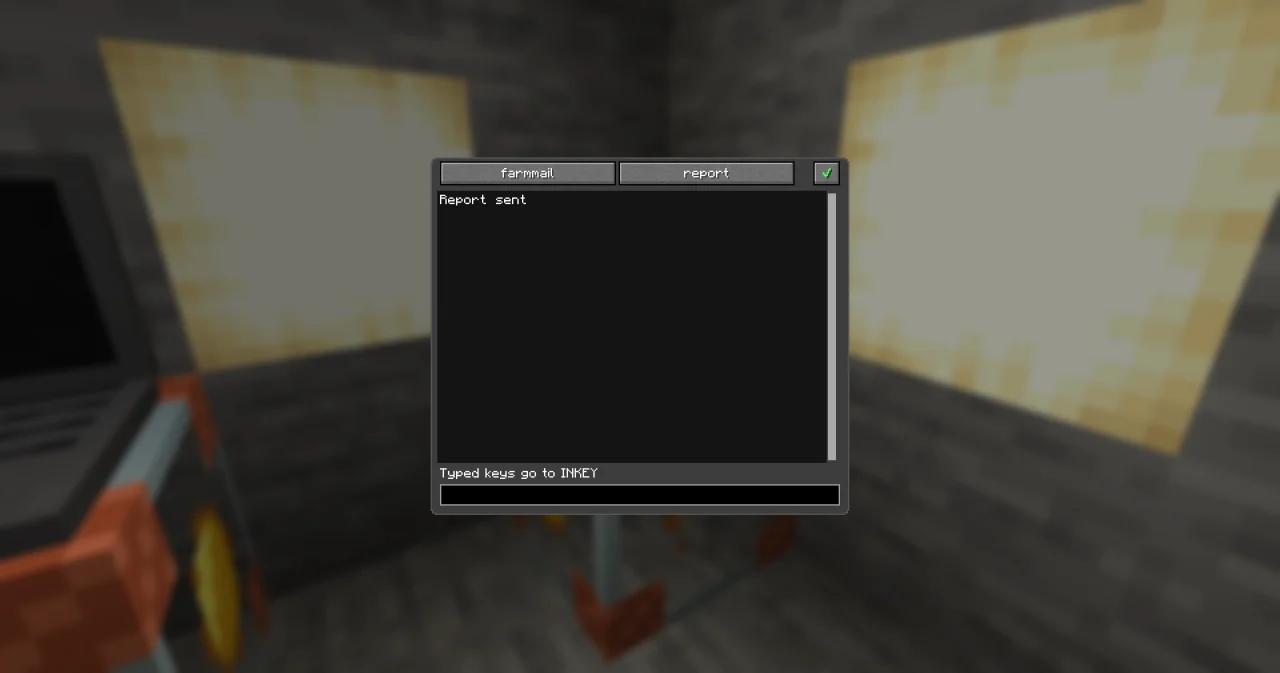
How it works
smtp.security "tls"encrypts the connection from the start, which is what port 465 expects. Withstarttls, the default, the connection starts unencrypted on port 587 and is encrypted before the login.nonesends everything readable – only for a server in your home network.port 0picks 465 fortlsand 587 otherwise.smtp.fromis the sender with a name in front of the address,Farm computer <steve@example.com>. Most providers only accept addresses of your own account as sender.SECRET mailPassword STRINGreads the password from your vault into a variable that only lives in this function. If it isn't there, the line raises SECRET_NOT_FOUND – When mail fails checks that first.nlis a line break: CHR of c0de/strings with the code 10. The dialog of a literal takes what you type as it is, so a line break can't be typed into a text; the program joins it in with⊕. A mail is plain text: no colours, no pictures, no attachments.totakes one address as a text,cca list of addresses, here the variablehelperswith its value in a BEGIN block. Everybody sees the addresses oftoandcc.reply_tosays where answers go. Without it, they go to the sender – here that's the same, so you may leave it out; it helps when the farm sends from another account than yours.id, the Message-ID, is how mail programs link an answer to its message. Keep it if you want to recognize answers later.
The limits
The Minecraft server makes sure that programs don't turn into spam machines. Every message has at most 20 recipients, to, cc and bcc together, and 64 KiB of text, and one player can send 10 messages a minute. The administrator can change these limits in config/c0de_net.properties; a program over a limit gets MAIL_LIMIT. Port 25, where mail servers talk to each other, is blocked: always send through your provider.
Try it yourself
- Send an invitation to the harvest festival to all your neighbours – without showing them each other's addresses.
Solution
PROGRAM farminvite
NOOP
INCLUDE c0de_net/mail
NOOP
FUNCTION invite
    PARAMETER server STRING "smtp.example.com"
    PARAMETER port INTEGER 0
BEGIN
    SECRET mailPassword STRING
    VARIABLE smtp STRUCT c0de_net/mail/SMTP_SERVER
    VARIABLE neighbours ARRAY STRING
    BEGIN
        "alex@example.com"
        "sam@example.com"
    END VARIABLE
    ASSIGN smtp.server server ;
    ASSIGN smtp.port port ;
    ASSIGN smtp.security "tls" ;
    ASSIGN smtp.user "steve@example.com" ;
    ASSIGN smtp.password mailPassword ;
    ASSIGN smtp.from "Farm computer <steve@example.com>" ;
    CALL c0de_net/mail/SMTP_SEND
        PARAMETER server smtp ;
        PARAMETER to "steve@example.com" ;
        PARAMETER bcc neighbours ;
        PARAMETER subject "Harvest festival at the farm" ;
        PARAMETER text "Saturday at noon, bring a friend!" ;
    CALL PRINT
        PARAMETER value "Invitations sent" ;
END FUNCTION
The neighbours go into bcc: every one of them gets the message, but nobody sees who else got it. The message still needs a to, so it goes to yourself.
- The report should only go out when the barn is full. Start it from a comparator.
Solution
Put a comparator behind the chest of the barn, so its signal reaches the trigger block when the chest is full, and set Run to Everyone: other redstone signals than a button, lever or plate only start a trigger block with Everyone. Then nobody presses a button, and the process runs as the owner of the trigger block. That player must be online with c0de net and have the vault open – their computer sends the mail. Read How requests are sent and the trigger block.
Read more
- SMTP_SERVER and SMTP_SEND
- Keeping keys: the persistent vault
- Settings of c0de net: the limits of mail
- The order desk: reading the answers